In the area of project information, specialization can be beneficial.
Specializing Work Packages
When using waterfall project management techniques (recommended when end states are clear), ArchiMate elements can be specialized into more meaningful objects:
| WBS Element | ArchiMate Element | Specialization (Stereotype) | Logic / Relationship |
|---|---|---|---|
| Project | Work Package | «project» | The top-level container for all actions. |
| Phase | Work Package | «phase» | A Work Package composed of smaller Work Packages via Composition. |
| Deliverable | Deliverable | «deliverable» | A passive structure element produced by a Work Package. |
| Work Package | Work Package | «work package» | The smallest assignable unit of work in ArchiMate. |
| Task / Activity | Work Package | «task» | Modeled as the lowest-level Work Package or sometimes a Business Process. |
| Milestone | Implementation Event | «milestone» | An instantaneous state change (e.g., “Phase Gate Passed”) |
In ArchiMate, for the specialized elements:
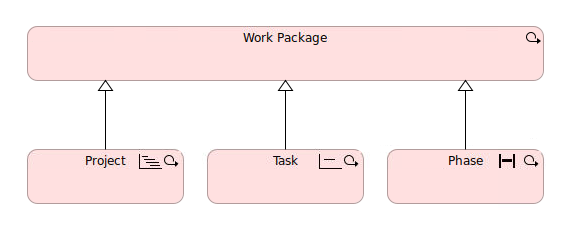
Phases and Projects (The Containers)
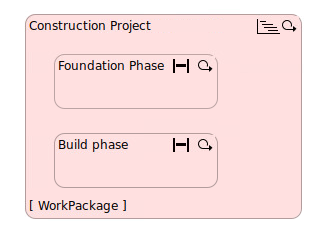
Since ArchiMate has only one primary behavior element for implementation—the Work Package—you distinguish between a “Project” and a “Phase” by nesting them.
- Example: A Work Package named “Construction Project” encompasses a Work Package named “Foundation Phase.”
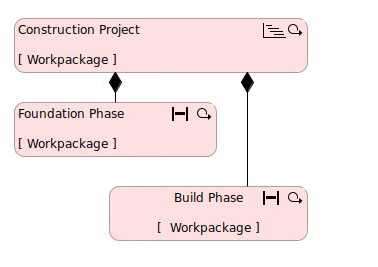
Or:
Deliverables (The “What”)
In Waterfall, every level of the WBS should yield a deliverable. In ArchiMate, you can illustrate this using the Realization Relationship:
The Work Package (Behavior) realizes the Deliverable (Passive Structure).
Relationship to the Core
To demonstrate how these project elements impact your business, link them to the Core Layers:
Work Package → Realizes → Capability (Strategy Layer)
Deliverable → Realizes → Application Component or Business Object (Core Layers)